Quick Answer: What Is a Smart Home and Where Should You Start?
A smart home connects everyday devices, lighting, heating, security, and appliances, to a central app or voice assistant, allowing remote control, automation, and monitoring from a smartphone. Most homeowners starting out benefit from beginning with a smart thermostat or smart lighting, since these deliver noticeable everyday convenience and, in the case of heating, genuine energy savings.
Core Categories of Smart Home Devices
| Category | Examples | Typical Starting Cost |
|---|---|---|
| Heating | Smart thermostats, radiator valves | £100 to £250 |
| Lighting | Smart bulbs, switches, dimmers | £10 to £50 per bulb/switch |
| Security | Cameras, video doorbells, smart locks | £60 to £300 per device |
| Entertainment | Smart speakers, streaming devices | £30 to £150 |
| Appliances | Smart plugs, connected washing machines/ovens | £15 to £500+ |
Choosing a Smart Home Ecosystem
Most smart home devices connect through one of the major ecosystems: Amazon Alexa, Google Home, or Apple HomeKit. Choosing devices compatible with a single ecosystem from the start makes for simpler control and automation than mixing incompatible systems, though many modern devices support multiple ecosystems simultaneously, reducing this concern somewhat compared to a few years ago.
What Is Matter and Why Should Beginners Care?
Matter is a universal smart home standard that lets devices from different brands work together through a common language, regardless of which company made them. A Matter-certified light bulb, for example, can be set up once and controlled through Apple Home, Google Home, Amazon Alexa or Samsung SmartThings. It was developed by the Connectivity Standards Alliance with backing from Apple, Amazon, Google and Samsung, and it is now the single most important thing a beginner can look for when buying new devices.
Before Matter, mixing brands was a gamble: a sensor that worked with Alexa might refuse to talk to Google Home, leaving you juggling separate apps. Matter removes much of that risk. The table below shows what it changes in practice.
| Without Matter | With Matter |
|---|---|
| Devices often locked to one ecosystem | One device works across Apple, Google, Amazon and Samsung |
| Setup through each brand’s own app | Simpler setup with a QR code scan |
| Cloud-dependent, slower responses | Local control, faster and works during internet outages |
| Buying the wrong brand means starting over | Mix and match brands freely as you expand |
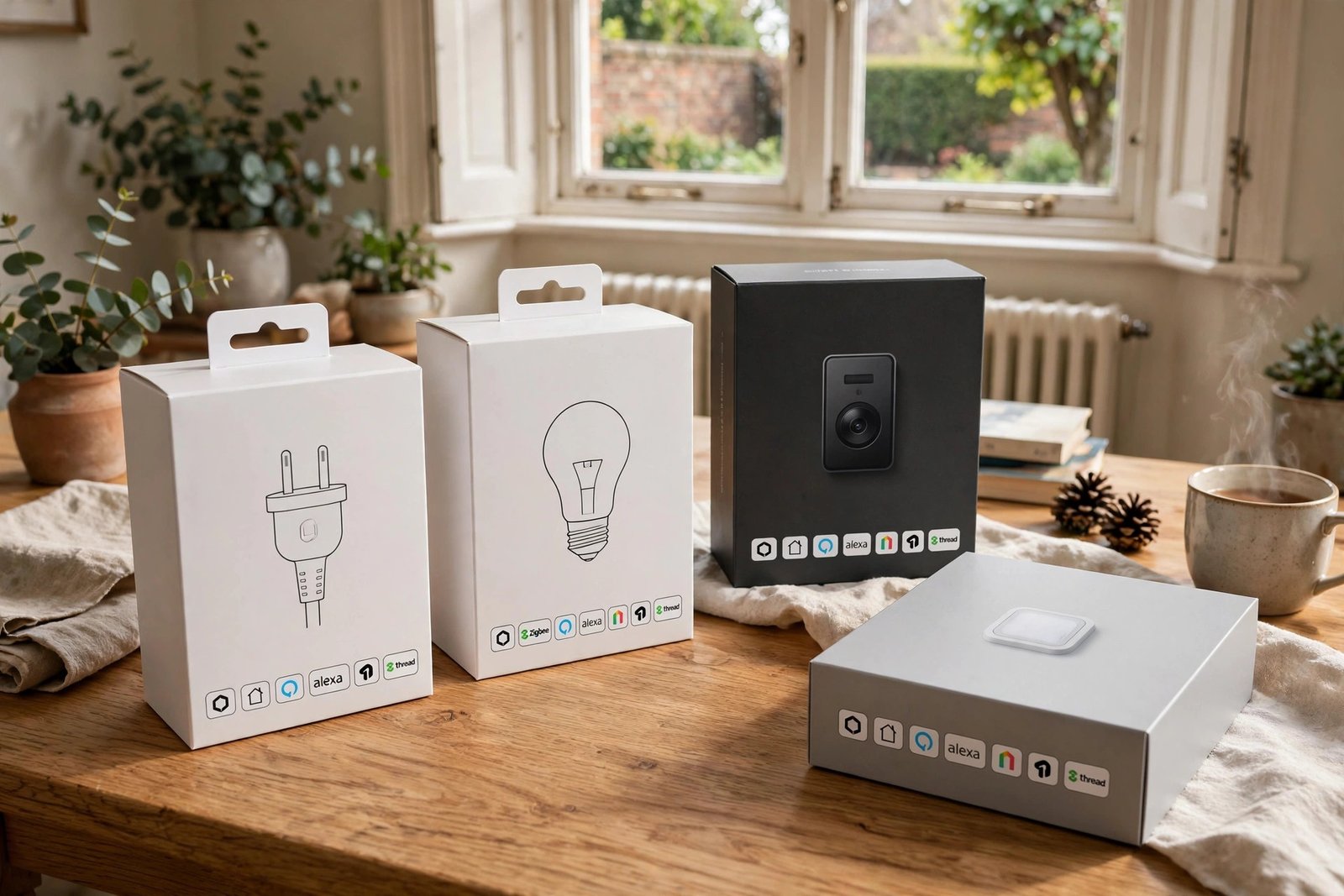
Two practical notes. First, Matter is a communication standard, not a guarantee that every feature works identically on every platform, so still check compatibility with your specific hub before buying. Second, you need a Matter controller (most modern smart speakers and hubs already act as one) and, for battery-powered sensors, a Thread border router. When shopping, look for the Matter logo on the box: choosing Matter-certified devices today is the simplest way to future-proof a beginner smart home.
Smart Thermostats: The Best Starting Point
A smart thermostat allows remote heating control via app, learns your schedule and preferences over time, and can offer genuine energy savings by avoiding heating an empty house or optimising warm-up times. This combination of convenience and cost saving makes it one of the most commonly recommended first smart home purchases.
Smart Lighting Systems
- Smart bulbs: Replace standard bulbs directly, offering app and voice control, scheduling, and often colour changing options
- Smart switches: Replace the wall switch itself, working with any bulb fitted, useful where existing fittings should stay unchanged
- Smart plugs: Add basic smart control to any plugged-in lamp or device without replacing the fitting itself
Smart Home Security Integration
Video doorbells, smart locks, and connected cameras can all integrate into a broader smart home system, allowing automations like lights turning on when a camera detects motion, or doors locking automatically at a set time. This integration adds convenience beyond what standalone security devices offer on their own.
Voice Assistants and Smart Speakers
Smart speakers act as a central voice-controlled hub for many smart home ecosystems, allowing hands-free control of connected devices, alongside general features like music, timers, and information queries. Choosing a speaker aligned with your chosen ecosystem ensures the smoothest integration with your other smart devices.
Home Automation and Routines
Beyond individual device control, most smart home systems allow creating automated routines, such as lights dimming and the thermostat lowering automatically at a set bedtime, or specific device groups responding to a single voice command. These routines are often where the real convenience of a smart home becomes apparent, beyond simply controlling individual devices remotely.
Smart Home Costs and Building a System Gradually
| Starting Point | Typical Cost | What It Adds |
|---|---|---|
| Smart speaker + a few bulbs | £80 to £150 | Voice control, basic lighting automation |
| Add a smart thermostat | +£100 to £250 | Remote heating control, potential energy savings |
| Add security devices | +£150 to £400 | Video doorbell, cameras, or smart lock |
| Full whole-home system | £1,000+ | Comprehensive automation across all categories |
Most homeowners build a smart home gradually rather than purchasing an entire system at once, adding devices as budget allows and priorities become clearer through everyday use.
Smart Home Privacy and Security Considerations
Connected devices collect and transmit data, so choosing reputable manufacturers with a strong security track record, keeping device firmware updated, and using strong, unique passwords for smart home accounts all matter for protecting your privacy and security as you add more connected devices to your home.
Frequently Asked Questions
Do I need WiFi for a smart home?
Yes, the vast majority of smart home devices require a stable WiFi connection to function and communicate with their associated app, so a reliable home network is a prerequisite for most smart home setups.
What is the best smart home device to start with?
A smart thermostat or a smart speaker with a few smart bulbs are commonly recommended starting points, offering noticeable everyday convenience and, for thermostats specifically, potential energy savings.
Can smart home devices work together across different brands?
Many modern smart home devices support multiple ecosystems and standards, improving cross-brand compatibility, though checking specific compatibility before purchase remains good practice to avoid integration issues.
Is a smart home expensive to set up?
Smart homes can be built gradually, starting with a single device costing as little as £20 to £30, making the entry cost far lower than assuming a full comprehensive system is required from the outset.
Do smart home devices work during a power cut?
Most smart home devices require mains power to function, so they will not operate during a power cut unless they have specific battery backup, which varies by device and manufacturer.
What is Matter in smart home terms?
Matter is a universal connectivity standard that lets smart home devices from different brands communicate using a common language. It means a Matter-certified device can work with Apple Home, Google Home, Amazon Alexa and Samsung SmartThings instead of being locked to one ecosystem.
Do I need a Matter hub or controller?
Yes, Matter devices need a Matter controller on your home network, but most modern smart speakers and hubs already include one. Check your existing speaker or hub’s specifications before buying a separate device.
What is Thread and how does it relate to Matter?
Thread is a low-power mesh networking protocol that Matter uses for battery-powered devices like sensors and locks, alongside Wi-Fi for mains-powered devices. A Thread border router, built into many current hubs and speakers, connects the Thread mesh to your home network.
Will my existing smart devices work with Matter?
Some will and some will not. Certain manufacturers have added Matter support to existing devices through firmware updates, but many older devices cannot be upgraded. Check your manufacturer’s support pages for each device rather than assuming.
Should beginners buy Matter-compatible devices?
Yes, where possible. Choosing Matter-certified devices is the simplest way for a beginner to avoid compatibility headaches, mix brands freely, and keep the system working even if you switch voice assistants later.
Expert Insight
Smart home installers consistently recommend starting with one or two devices addressing a genuine daily frustration, rather than purchasing an extensive system upfront, since this approach helps homeowners learn what integrations actually add value to their specific routine before expanding further.
Final Thoughts
Building a smart home is most successful as a gradual process, starting with a device addressing a genuine need, whether that is heating control, lighting convenience, or security, then expanding based on what proves genuinely useful in daily life. Choosing a consistent ecosystem from the start makes this gradual expansion considerably smoother.
Starting your smart home journey? Identify your single biggest everyday home frustration first, then choose a smart device that specifically addresses it, rather than buying based on general smart home excitement alone.
Related Guides
- Smart Thermostats: Complete Guide
- Smart Lighting: Complete Guide
- Smart Home Voice Assistants: Complete Guide
Written by the HometoWorld editorial team, covering home improvement, renovation, and property maintenance across the UK.
About the Author