Quick Answer: What Is a Home Security System and Do You Need One?
A home security system is a combination of devices, typically door and window sensors, motion detectors, a central alarm hub, and often cameras, designed to detect and deter intrusion while alerting you or a monitoring centre. Most UK homeowners benefit from at least a basic wireless system covering main entry points, with more comprehensive setups suited to larger properties or higher risk areas.
Types of Home Security Systems
Wired Systems
Wired systems connect sensors and the control panel via physical cabling, offering a highly reliable connection immune to wireless interference, but requiring professional installation and being harder to expand or move than wireless alternatives.
Wireless Systems
Wireless systems use radio signals to connect sensors to the hub, making them significantly easier to install and expand, which has made them the most popular choice for UK homeowners in recent years, particularly for DIY installation.
Smart/Connected Systems
Smart security systems connect to your home WiFi and a smartphone app, allowing remote arming, disarming, and live alerts wherever you are, often integrating with other smart home devices like lighting and video doorbells.
Self-Monitored vs Professionally Monitored Systems
| Feature | Self-Monitored | Professionally Monitored |
|---|---|---|
| Alert method | App notification to you directly | Monitoring centre receives alert, contacts you and/or emergency services |
| Ongoing cost | None or minimal | Monthly subscription fee |
| Best for | Homeowners who respond quickly to notifications | Those who travel often or want guaranteed response coverage |
Home Security Systems With No Monthly Fee
You can protect a home with no ongoing subscription at all. No-fee systems are self-monitored: when a sensor triggers, the app alerts your phone directly and you decide what to do. Yale and Ring offer full functionality without monthly fees on their core alarm ranges, while SimpliSafe, Abode and Somfy provide subscription-free tiers, though some limit push notifications or video alerts on the free plans. Eufy’s security devices include free mobile alerts as standard.
What no fee does not buy you is professional monitoring and police response: those remain the preserve of monthly plans from providers like Verisure and ADT. Cloud video storage also costs extra almost everywhere, though local storage (SD card or base station) sidesteps that. The honest way to compare is the three-year total, not the sticker price.
| No-monthly-fee system | Monitored system | |
|---|---|---|
| Upfront kit | £150 to £500 | £0 to £500 |
| Monthly cost | £0 | £15 to £40 |
| 3-year total | £150 to £500 | £540 to £1,940 |
| Alerts | App notification to you | Monitoring centre, then you and emergency services |
| Police response (URN) | Not available | Available on qualifying plans |
| Video storage | Local only, unless you add cloud | Usually included |
No-fee suits homeowners who keep their phone to hand and can act on an alert themselves. If you travel often, work nights, or sleep through notifications, the guaranteed response of a monitored plan justifies its cost. Either way, entry-point sensors matter more than the monitoring model: a self-monitored system covering every door beats a monitored system watching only the hallway.
Key Components of a Home Security System
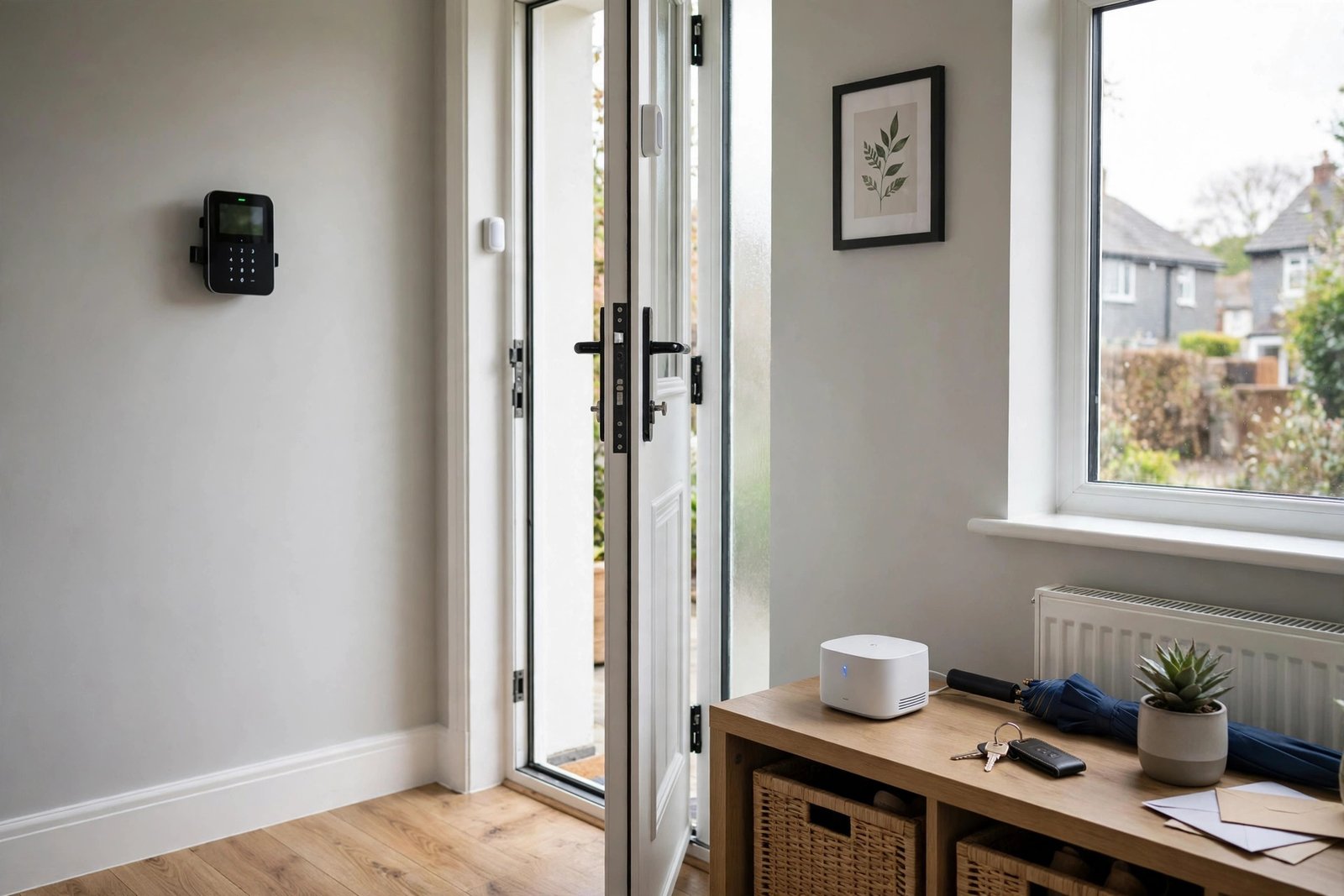
- Door and window sensors: Detect when an entry point is opened, forming the foundation of most systems
- Motion detectors: Sense movement within a room, useful as a secondary layer behind entry sensors
- Control panel or hub: The central unit coordinating all sensors and communicating with the app or monitoring centre
- Siren: An audible alarm intended to deter an intruder and alert neighbours
- Cameras: Provide visual confirmation of an alert and often useful evidence if an incident occurs
What to Protect First
Security professionals consistently recommend prioritising entry point detection, doors and easily accessible windows, before adding cameras or extra features. A system with excellent cameras but no door or window sensors leaves a significant gap in actual intrusion detection, even though cameras often feel like the more visible, appealing purchase.
How Much Does a Home Security System Cost?
| System Type | Upfront Cost | Ongoing Cost |
|---|---|---|
| Basic DIY wireless kit | £150 to £400 | None, or optional app subscription |
| Mid-range smart system | £300 to £700 | £5 to £15 per month for cloud storage/monitoring |
| Professionally installed and monitored | £500 to £1,500+ | £20 to £40 per month |
Choosing the Right System for Your Property
- Flats and small properties: A compact wireless kit covering the front door and any ground floor or balcony access points is often sufficient
- Semi-detached and terraced houses: Cover front and back doors plus ground floor windows, particularly those not overlooked by neighbours
- Detached houses: Consider wider coverage including garages, side gates, and outbuildings alongside the main property
Smart Home Integration
Many modern security systems integrate with broader smart home setups, allowing lights to trigger automatically when the alarm activates, or voice assistant control for arming and disarming. This integration adds convenience but is a secondary consideration to core detection coverage when first setting up a system.
DIY Installation vs Professional Installation
Wireless systems are generally designed for straightforward DIY installation, with most sensors simply needing to be mounted and paired with the hub via the app. Professional installation costs more but ensures correct sensor placement and can be worthwhile for larger, more complex properties or wired systems requiring cabling.
Frequently Asked Questions
Do home security systems reduce home insurance costs?
Some insurers offer modest discounts for homes with an approved alarm system, particularly NSI or SSAIB accredited monitored systems, though this varies by provider and policy, so it is worth checking directly with your insurer.
How many sensors does a typical home need?
This depends on the property, but most homes need sensors on the front and back doors as a minimum, plus any accessible ground floor windows, typically totalling four to eight sensors for an average semi-detached house.
Can a security system work during a power cut?
Most modern systems include battery backup, allowing continued operation for a period during a power outage, though it is worth confirming the specific backup duration when choosing a system.
Do I need professional monitoring?
Professional monitoring adds value if you travel frequently, sleep through notifications, or want guaranteed emergency response, but many homeowners find self-monitoring via app alerts sufficient if they can respond promptly.
What is the difference between an alarm system and CCTV?
An alarm system detects intrusion through sensors and alerts you, while CCTV provides visual recording and often live viewing, and many homeowners use the two together for complementary detection and evidence.
No-Monthly-Fee Security FAQs
Can I get a home security system with no monthly fee?
Yes. Self-monitored systems from Yale, Ring, Eufy, SimpliSafe and others work with no subscription: alerts go straight to your phone. You pay only for the kit, typically £150 to £500.
Which alarm brands have no subscription in the UK?
Yale and Ring offer full core functionality without monthly fees. SimpliSafe, Abode and Somfy have subscription-free tiers with some limits on notifications and video features. Eufy includes free mobile alerts as standard.
What do I lose without a subscription?
Professional monitoring, police response via a URN, and usually cloud video storage. You also lose the guarantee that someone acts on an alert when you cannot: with self-monitoring, you are the response.
Is self-monitoring enough for home security?
For most homeowners who carry their phone and can respond quickly, yes. The deterrent effect and instant alert are the main value. Frequent travellers and heavy sleepers get more from professional monitoring.
Do no-fee systems include police response?
No. Police response needs a Unique Reference Number, which requires an approved installer and a monitored contract. Self-monitored systems cannot summon the police automatically.
Are there hidden costs with subscription-free systems?
Watch for cloud storage upsells on camera bundles and optional extended warranties. The kit price is usually honest, but check whether the features you want, like video history, sit behind a paywall.
Expert Insight
Security installers consistently emphasise that entry point coverage, not camera count, is the single biggest factor in an effective home security system, since a break-in prevented or detected at the door matters more than footage captured after the fact.
Final Thoughts
A well planned home security system starts with covering your property’s actual entry points, then builds outward with additional sensors, cameras, and smart features as needed. Whether self-monitored or professionally monitored, the most effective systems are the ones matched carefully to your specific property layout.
Considering a home security system? Walk around your property and identify every realistic entry point before buying, since this simple step often reveals coverage gaps a generic starter kit would miss.
Related Guides
- CCTV Cameras for Home: Complete Buying Guide
- Smart Locks: Complete Guide
- Video Doorbells: Complete Buying Guide
Written by the HometoWorld editorial team, covering home improvement, renovation, and property maintenance across the UK.
About the Author