
Quick Answer: What Can Smart Plugs Actually Do?
Smart plugs add app and voice control, scheduling, and remote on/off switching to any device plugged into a standard socket, without needing the device itself to be smart. They cost as little as £10 to £20 each, making them one of the most affordable and accessible entry points into home automation.
How Smart Plugs Work
A smart plug sits between a standard plug and the wall socket, connecting to home WiFi to enable remote control via a smartphone app or voice assistant. Once set up, any device plugged into it, a lamp, fan, or small appliance, gains smart control without needing to be a smart device itself.
What You Can Control With Smart Plugs
- Lamps and standing lights: The most common use, adding remote and scheduled control to standard lighting
- Fans and heaters: Remote control for seasonal comfort devices without needing a smart model
- Kitchen appliances: Devices like slow cookers can be scheduled to turn on remotely, useful for timing meals
- Christmas lights and seasonal decorations: Simple scheduling for outdoor or indoor festive lighting
- Chargers and electronics: Scheduled power to reduce standby energy use on devices left plugged in
Smart Plugs vs Smart Switches: What Is the Difference?
| Feature | Smart Plug | Smart Switch |
|---|---|---|
| Installation | Plug in directly, no wiring | Replaces wall switch, requires wiring |
| What it controls | Anything plugged into it | Fixed wiring circuit, typically lighting |
| Portability | Easily moved between sockets | Fixed installation |
| Best for | Lamps, small appliances, renters | Permanent lighting circuits, homeowners |
Smart Plugs for Renters
Smart plugs are particularly well suited to rental properties, since they require no permanent installation or wiring changes, can be taken with you when moving, and avoid any need for landlord permission that a smart switch installation might require.
Energy Monitoring With Smart Plugs
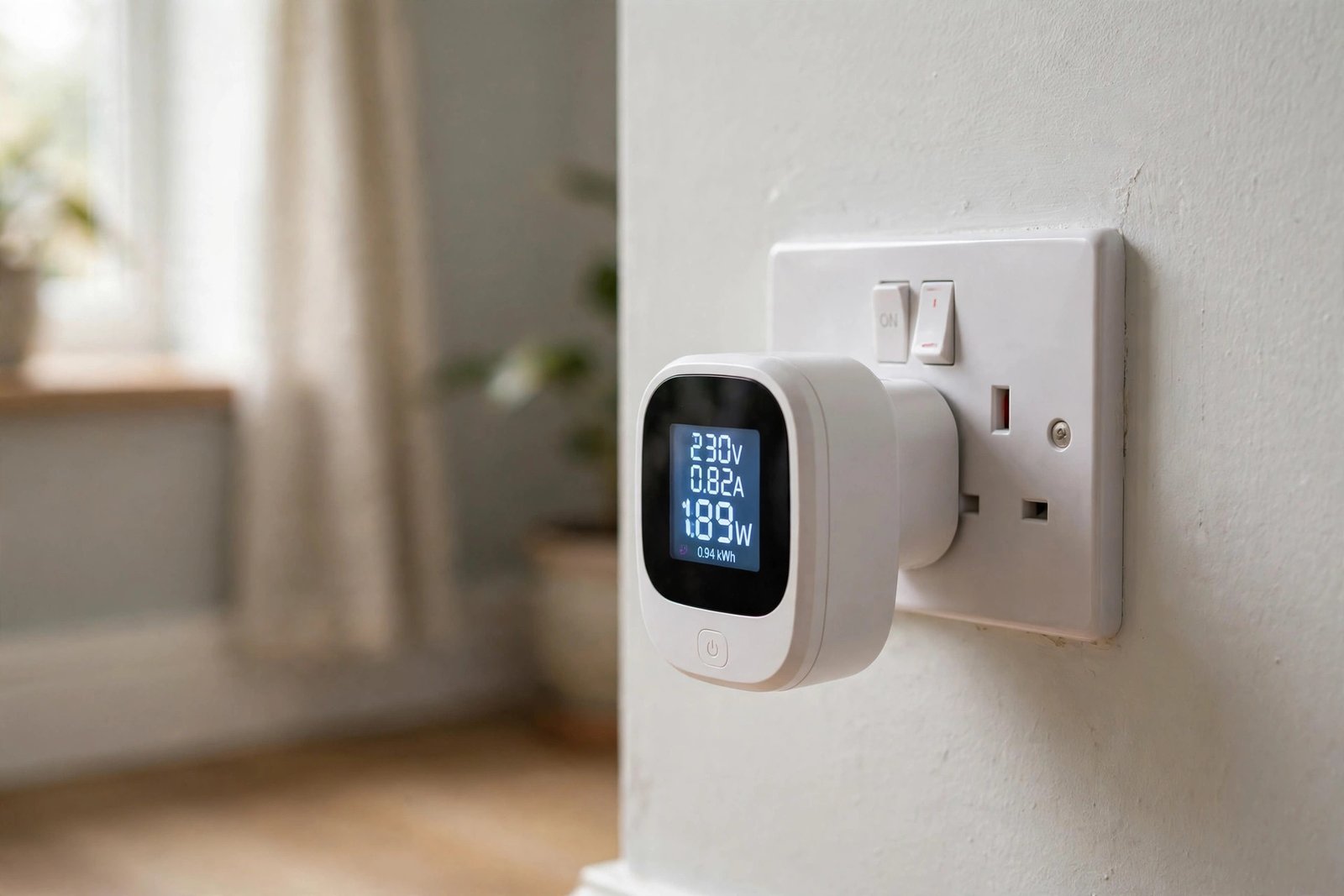
Many smart plugs include energy monitoring features, showing how much electricity a connected device uses over time. This can help identify unexpectedly high energy consumers around the home, informing decisions about which older appliances might be worth upgrading for efficiency.
Do Smart Plugs Really Save Energy? The Honest Answer
Yes, but only if you use them to kill standby power. The Energy Saving Trust estimates the average UK household wastes around £35 to £55 a year powering devices left on standby: TVs, set-top boxes, games consoles, chargers and desktop equipment that sip electricity around the clock. A smart plug lets you cut that power completely on a schedule or from your phone, which matters for devices buried behind furniture where reaching the wall switch is a chore.
The maths is straightforward. Four to six smart plugs covering your worst standby offenders cost roughly £40 to £60, and wiping out most of a £35 to £55 annual standby waste pays that back in about a year. The plug itself uses a tiny 1 to 2 watts to stay connected, costing around £2 to £4 a year at current prices, which is negligible next to the saving. Energy-monitoring plugs add a second benefit: seeing a device’s real running cost in pounds often changes behaviour more than any schedule.
| Scenario | Typical cost | Typical annual saving |
|---|---|---|
| 4 to 6 plugs on standby devices | £40 to £60 | £25 to £50 |
| Single plug on home office setup | £10 to £20 | £10 to £20 |
| Plug left unused (no scheduling) | £10 to £20 | Around £0 |
One warning: do not confuse proper smart plugs with “energy-saving” plug devices sold on online marketplaces. A Which? investigation found these gadgets, which claim to cut bills by stabilising voltage, have no evidence behind them, fail basic electrical safety standards, and are illegal to sell in the UK. A real smart plug saves energy by switching things off. Anything claiming to save energy while plugged in and doing nothing is a scam.
Smart Plug Safety Considerations
- Check the smart plug’s maximum load rating matches or exceeds the connected device’s power draw
- Avoid using smart plugs with high-power appliances not explicitly rated for smart plug use, such as certain heaters
- Choose reputable, safety-certified smart plug brands rather than unverified budget alternatives
- Do not leave unattended heating devices on a remote-controlled smart plug without appropriate safety features
Setting Up Automation With Smart Plugs
- Plug the smart plug into the wall socket and connect the desired device to it
- Download the manufacturer’s app and follow the WiFi pairing process
- Set up schedules, such as lamps turning on at dusk or off at a set bedtime
- Create routines combining the smart plug with other smart devices, such as lights and heating adjusting together
Smart Plug Cost and Value
| Type | Typical Cost | Features |
|---|---|---|
| Basic smart plug | £10 to £15 | App/voice on-off control, basic scheduling |
| Smart plug with energy monitoring | £15 to £25 | Adds usage tracking and reporting |
| Outdoor-rated smart plug | £20 to £35 | Weatherproof for garden lighting or decorations |
Frequently Asked Questions
Do smart plugs work with any device?
Smart plugs work with most standard plugged-in devices within their rated power capacity, though high-power appliances like heaters need specific safety-rated smart plugs designed for that purpose.
Can smart plugs be used outdoors?
Yes, but only outdoor-rated, weatherproof smart plugs should be used outside, since standard indoor smart plugs are not designed to withstand outdoor moisture and temperature conditions.
Do smart plugs use much electricity themselves?
Smart plugs use a very small amount of standby power to maintain their WiFi connection, generally negligible compared to the energy monitoring benefits and convenience they provide.
Can I use multiple smart plugs on one WiFi network?
Yes, most smart plug systems support numerous devices on a single home network, though very large numbers of connected devices can occasionally affect overall network performance depending on router capability.
Are smart plugs a good starting point for smart home beginners?
Yes, smart plugs are widely considered one of the most accessible and affordable entry points into home automation, given their low cost, simple setup, and lack of any wiring or installation requirements.
Smart Plug Energy Saving FAQs
Do smart plugs save energy?
Yes, indirectly. They save energy by cutting standby power to devices left plugged in, and energy-monitoring models make you aware of what appliances really cost to run. They do not make the appliance itself more efficient.
How much money can smart plugs save?
Typically £25 to £50 a year for a set of four to six plugs on standby-heavy devices like TVs and consoles. The Energy Saving Trust puts average UK standby waste at £35 to £55 a year, which is the saving on offer.
Do smart plugs use electricity themselves?
Yes, about 1 to 2 watts to maintain the WiFi connection, costing roughly £2 to £4 a year. This is tiny compared with the standby waste they eliminate when used properly.
Are energy-saving plugs a scam?
The plug-in devices claiming to cut bills by stabilising voltage are, according to a Which? investigation: no evidence they work, and many fail basic safety standards. Proper smart plugs save energy only by switching devices off.
Which appliances benefit most from smart plugs?
Home entertainment setups (TV, set-top box, games console, soundbar), desktop computer equipment, and chargers left plugged in. These draw the most standby power and are often hard to reach at the wall.
Expert Insight
Smart home retailers consistently report smart plugs as one of the best-selling and most repurchased smart home devices, since their low cost and flexibility make them an easy way to test smart home automation before investing in more permanent installations like smart switches.
Final Thoughts
Smart plugs offer one of the most accessible, affordable, and flexible entry points into home automation, requiring no installation while still delivering genuine convenience and, in many cases, useful energy monitoring insight. They suit renters and homeowners alike, making them a sensible first step for anyone curious about smart home technology.
Trying smart plugs for the first time? Start with one on a frequently used lamp to get comfortable with the app and scheduling features before expanding to other devices around the home.
Related Guides
- Smart Lighting: Complete Guide
- Smart Home Devices: A Complete Beginner’s Guide
- Smart Thermostats: Complete Guide
Written by the HometoWorld editorial team, covering home improvement, renovation, and property maintenance across the UK.
About the Author