
Quick Answer: Are Smart Locks Worth It for UK Homes?
Smart locks replace or supplement a traditional door lock with keyless entry via smartphone app, PIN code, fingerprint, or key fob, offering convenience and the ability to grant remote access without physical keys. They suit homeowners wanting to eliminate lost key hassles or provide temporary access to guests, cleaners, or family, though they typically cost more than traditional locks and require some ongoing power management.
Types of Smart Locks
Retrofit Smart Locks
Retrofit locks fit onto your existing door and traditional lock cylinder, adding smart functionality without replacing the whole lock mechanism, making them a straightforward upgrade for most standard UK doors.
Full Replacement Smart Locks
These replace the entire lock body, often including the strike plate, and typically offer more integrated features but require more involved installation, sometimes with professional fitting.
Smart Lock Add-Ons
Some products add smart control to an existing lock via a small motorised unit fitted to the interior thumb-turn, a lower cost option that keeps the original key-based lock intact as a backup.
How Smart Locks Are Unlocked
- Smartphone app: Unlock via Bluetooth or WiFi connection to your phone
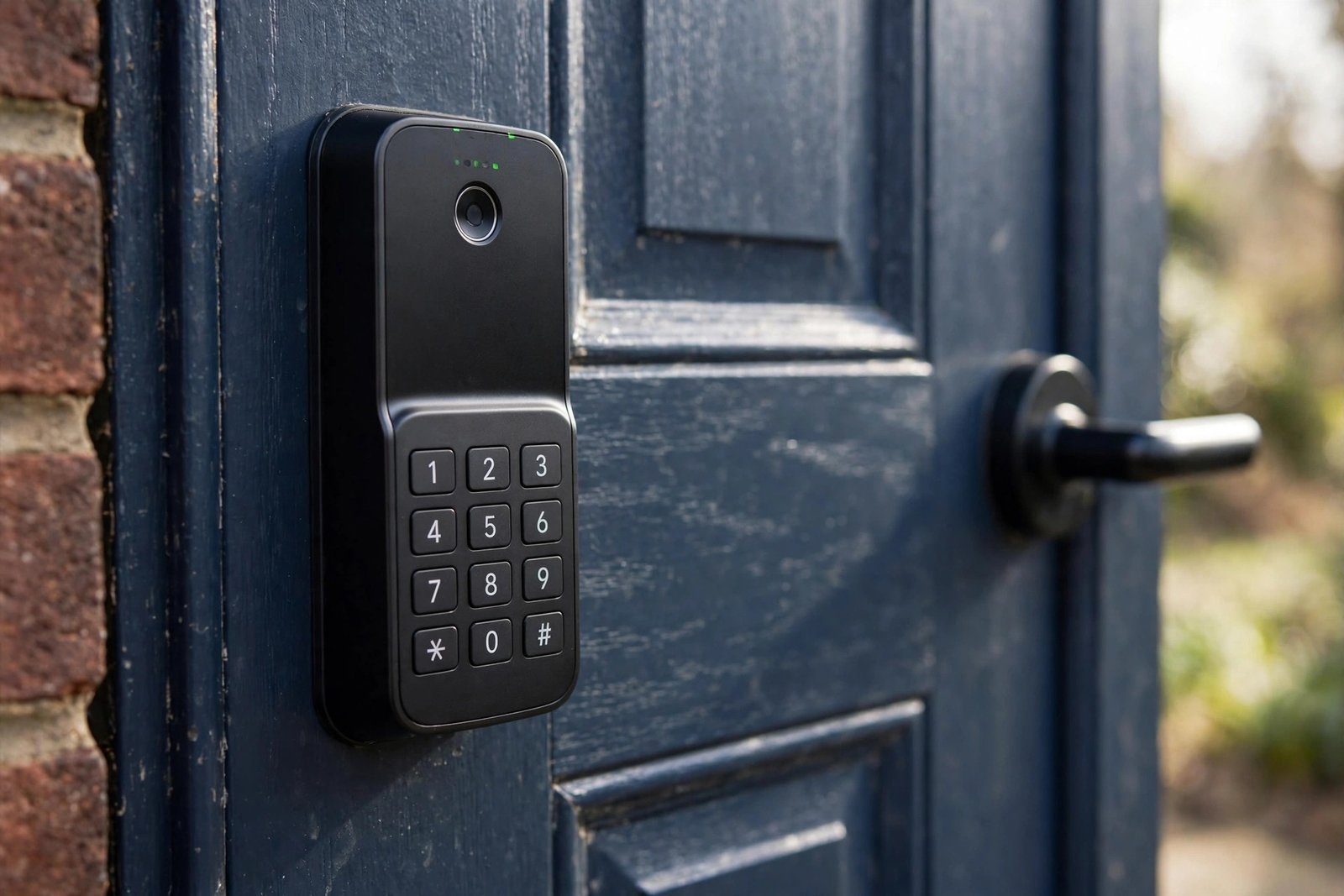
- PIN code keypad: Enter a numeric code, useful for guests without the app installed
- Fingerprint scanner: Biometric unlocking for fast, keyless access
- Key fob or card: A physical fob as a backup or alternative to phone-based access
- Physical key backup: Most smart locks retain a traditional key override for emergencies or power failure
Smart Lock Compatibility With UK Doors
Compatibility varies significantly by door type. uPVC and composite doors with a multi-point locking mechanism often need a specific smart lock designed for that mechanism, while traditional timber doors with a standard mortice or cylinder lock have broader compatibility with retrofit smart lock products. Always check a smart lock’s specific compatibility with your door and existing lock type before purchasing.
Key Benefits of Smart Locks
- No more lost keys or the cost of professional locksmith callouts for lockouts
- Grant temporary or scheduled access remotely to guests, cleaners, or tradespeople
- Receive notifications when the door is locked or unlocked, useful for tracking family members or deliveries
- Integration with wider smart home and security systems for combined automation
Smart Lock Security Considerations
A quality smart lock should meet at least the same physical security standard as a traditional lock, and many reputable products carry British Standard or equivalent security ratings. Battery life, encryption standards, and how the lock behaves during a power or connectivity failure are all worth checking, since a smart lock that fails insecure during an outage undermines its core purpose.
Smart Locks and Home Insurance: What UK Insurers Want
A smart lock should not affect your home insurance, provided it sits alongside a lock that meets your insurer’s minimum standard. The key point, confirmed by GoCompare’s home insurance guide, is that insurers judge the mechanical locking underneath, not the smart features on top. A smart lock fitted alongside a five-lever mortice deadlock on a timber door, or a multi-point system on a uPVC or composite door, is generally viewed as an enhancement. A smart lock that replaces your only British Standard lock with something weaker is where problems start.
Which?’s insurance experts add two caveats worth knowing. First, insurer attitudes are mixed because smart locks are relatively new and varied, so tell your insurer exactly which device you have fitted and get written confirmation it is acceptable. Second, if a burglary involves a hacked lock or a stolen PIN, it could affect a claim, which is another reason to buy from established brands with strong encryption and keep codes secure.
| Insurer checklist item | What to do |
|---|---|
| British Standard rating | Keep a BS3621 mortice deadlock (timber) or TS 007 3-star cylinder (uPVC/composite) as the primary lock |
| Retrofit vs replacement | Retrofit locks preserve your existing cylinder, so your cover depends on what is already fitted |
| Notify your insurer | Declare the exact make and model before or just after fitting; get written confirmation |
| Secure your codes | Unique PINs per user, changed when someone moves out; never share the master code |
For uPVC and composite doors, what matters most is the euro cylinder rating: most insurers want a TS 007 3-star or Sold Secure Diamond cylinder. Some smart locks ship with one included; retrofit models leave your existing cylinder untouched, which is ideal if it already meets the standard. Check the cylinder, not just the smart branding.
Cost of Smart Locks
| Lock Type | Typical Cost |
|---|---|
| Basic retrofit smart lock | £80 to £150 |
| Mid-range smart lock with keypad | £150 to £250 |
| Premium smart lock with full features | £250 to £400+ |
| Professional installation, if needed | £50 to £150 |
Battery Life and Maintenance
Most smart locks run on standard or rechargeable batteries, typically lasting several months to a year depending on usage, with low battery warnings sent via the app well before failure. Keeping a physical key backup accessible, even if rarely used, is sensible practice in case of a completely flat battery or connectivity issue.
Frequently Asked Questions
Can smart locks be hacked?
Like any connected device, smart locks carry some digital security risk, though reputable products use strong encryption and regular firmware updates to minimise this. Choosing an established brand with a good security track record reduces this risk considerably.
What happens to a smart lock during a power cut?
Most smart locks run on battery power independent of household electricity, so a power cut alone does not typically affect operation, though a WiFi-dependent model may lose remote access features until connectivity is restored.
Do smart locks work with all door types?
No, compatibility varies significantly, particularly for uPVC and composite doors with multi-point locking systems, so checking specific compatibility before purchase is essential.
Are smart locks more secure than traditional locks?
A quality smart lock can match or exceed traditional lock security while adding useful features, but a poor quality smart lock may actually be less secure, so checking security ratings and reviews matters as much as with any lock purchase.
Can I still use a physical key with a smart lock?
Most smart locks retain a physical key override as a backup, though some full keyless systems rely entirely on digital access methods, so check this feature specifically if a physical backup matters to you.
Smart Lock Insurance FAQs
Do smart locks affect home insurance?
They should not, as long as the door still meets your insurer’s minimum lock standard. Insurers judge the mechanical lock underneath: a smart lock alongside a British Standard mortice deadlock or 3-star cylinder is generally treated as an enhancement, not a risk.
Will a smart lock invalidate my home insurance?
Only if it weakens your door security below what your policy requires. Replacing your only British Standard lock with an uncertified smart lock could cause problems. Keep a compliant mechanical lock and tell your insurer about the smart device.
Do I need to tell my insurer about a smart lock?
Yes. Insurer attitudes to smart locks are mixed, so declare the exact make and model and get written confirmation it is acceptable. Do this before fitting if possible, or immediately after.
What lock standard do insurers require in the UK?
Typically a BS3621 five-lever mortice deadlock on timber doors, or a TS 007 3-star (or Sold Secure Diamond) euro cylinder on uPVC and composite doors. Your smart lock should sit alongside these, not replace them.
Are retrofit smart locks better for insurance?
Often yes. Retrofit models clamp onto your existing thumb-turn and leave the cylinder unchanged, so whatever insurance-approved hardware you already have stays exactly as it was. Your cover then depends on the existing lock.
Can a hacked smart lock affect an insurance claim?
Possibly. Which? notes that if a burglary involves a hacked lock or stolen credentials, it could affect your ability to claim. Choose reputable brands with strong encryption, use unique PINs, and keep firmware updated.
Expert Insight
Locksmiths commonly note that the biggest smart lock failures in practice relate to compatibility mismatches with existing door hardware rather than the lock’s digital security, reinforcing the importance of checking door type compatibility carefully before purchase.
Final Thoughts
Smart locks offer genuine convenience for UK homeowners, particularly around remote access and eliminating lost key hassles, provided you choose a product genuinely compatible with your door type and from a reputable manufacturer with strong security credentials. A physical key backup remains sensible even with the most reliable smart lock.
Considering a smart lock? Confirm compatibility with your exact door and lock type before buying, since this is the most common source of installation problems reported by homeowners.
Related Guides
- Home Security Systems: Complete Guide
- CCTV Cameras for Home: Complete Buying Guide
- Composite Doors: Complete Buying Guide
Written by the HometoWorld editorial team, covering home improvement, renovation, and property maintenance across the UK.
About the Author